
Glow Up Guide: makeup steps for a look you choose
In short
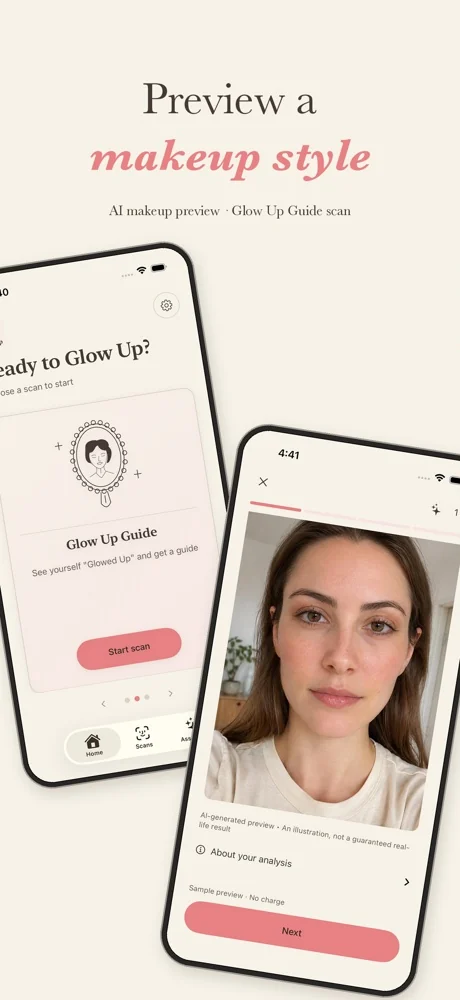
The Glow Up Guide is one of three scans in GlowUp Girlie, an iPhone app coming soon to the App Store. You choose an aesthetic, like natural glam, add a selfie, and get practical numbered steps for the look, such as "even the base", "add soft definition" and "brighten the eyes". It also shows an AI-generated makeup preview, clearly labelled in the app: a still illustration, not a live filter and not a guaranteed result. It's a separate scan from Color Analysis and Facial Analysis, and the guide is saved so you can follow it at your own pace.
Key takeaways
- You pick the look; the guide breaks it into a few steps you can follow at your own pace.
- The AI preview is labelled as AI-generated. It shows a style, not a promise of your real-life result.
- Your guide is saved, so you can reopen it at the mirror without another scan.
- The free glow-up plan maker on this site is a separate website tool for daily habits.
On this page5 sections
What does the Glow Up Guide do?
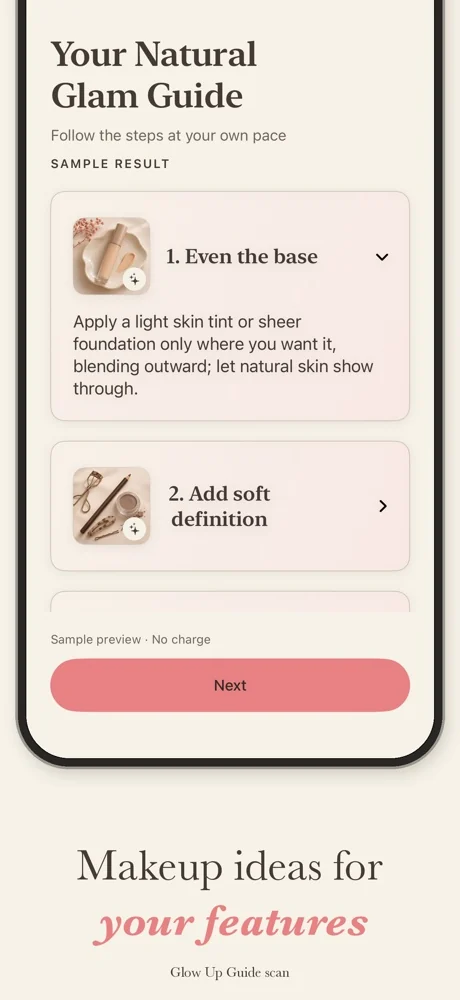
It turns a look you like into steps you can follow. You choose an aesthetic, add a selfie, and get a short guide made for it. A sample "Natural Glam Guide" looks like this:
- Even the base. Apply a light skin tint or sheer foundation only where you want it, blending outward, and let your natural skin show through.
- Add soft definition. A little shape where it helps, kept soft.
- Brighten the eyes. A touch of light so the look feels fresh.
Each step opens up with more detail, and you can follow them at your own pace. The guide is saved, so you can reopen it at the mirror without another scan.
What is the AI makeup preview?
Alongside the steps, the Glow Up Guide shows an AI-generated preview of the makeup style. Here's exactly what it is and isn't:
| The preview is | The preview isn't |
|---|---|
| An AI-generated illustration of a makeup style | A photo of a real result |
| Labelled as AI in the app, every time | A live camera filter |
| A way to picture a look before you try it | A promise of how it will look on you |
Real makeup depends on your products, light and practice, so the steps matter more than the picture. If the preview helps you decide whether you like a style, it has done its job.
Which looks can I choose?
You choose an aesthetic before the scan, like natural glam. Pick the one you'd actually wear this week. A simple look you repeat teaches you more than a complicated one you try once.
How is it different from the other scans?
The Glow Up Guide is one of three separate scans, and each uses one scan from your weekly allowance. Color Analysis suggests your season and palette. Facial Analysis describes your face and eye shape with makeup steps for them. After any completed scan, the scan assistant can answer follow-up questions.
What about a daily glow-up routine?
The app focuses on makeup and color. If you want a habit plan for sleep, skin basics and confidence, the free glow-up plan maker on this site builds a printable 7, 14 or 30-day plan in your browser. For more ideas, see the glow-up guides.
Questions people ask
What is the Glow Up Guide?
It's one of three scans in GlowUp Girlie. You choose an aesthetic, like natural glam, and get step-by-step makeup guidance for it, plus a clearly labelled AI-generated preview of the style. The guide is saved in the app, so you can follow it at your own pace.
Is the AI preview a filter?
No. It's a still, AI-generated illustration of a makeup style, labelled as AI in the app. It isn't a live camera filter, and it isn't a promise of how the look will turn out on you in real life. The numbered steps are the part to follow.
Does the Glow Up Guide include diet or workout plans?
No. It's about makeup: a look you choose and the steps to get there. GlowUp Girlie never gives diet, weight-loss, surgery or filler advice.
Is the Glow Up Guide the same as the glow-up plan maker on this site?
No. The glow-up plan maker on this site is a free website tool that builds a 7, 14 or 30-day habit plan in your browser. The Glow Up Guide is a scan in the GlowUp Girlie app that gives makeup steps and a labelled AI preview for a look you choose.
How much does it cost?
It uses one successful scan from a weekly plan: in the US, $6.99 a week for 1 scan, $9.99 for 2 or $12.99 for 4, with no free trial. You can also earn one free scan, once, by inviting three new devices. Failed scans don't use your allowance, and your saved guide reopens free.
Sources
- Generative artificial intelligenceWikipedia, 2026